Can PDFs Contain Viruses or Malware?
Yes, PDFs can carry malware, but usually not the way people assume. Learn how PDF exploits actually work and how to open one safely.
A PDF lands in your inbox from someone you don't recognize, and the old warning kicks in: don't open attachments from strangers. That advice was built around .exe files, but PDFs have carried real-world malware too, from resume-themed phishing kits to state-sponsored exploits. The honest answer is yes, a PDF can be dangerous, but not in the way most people picture, and knowing the actual mechanism is what lets you tell a risky file from a normal one.
So can a PDF actually infect your computer?#
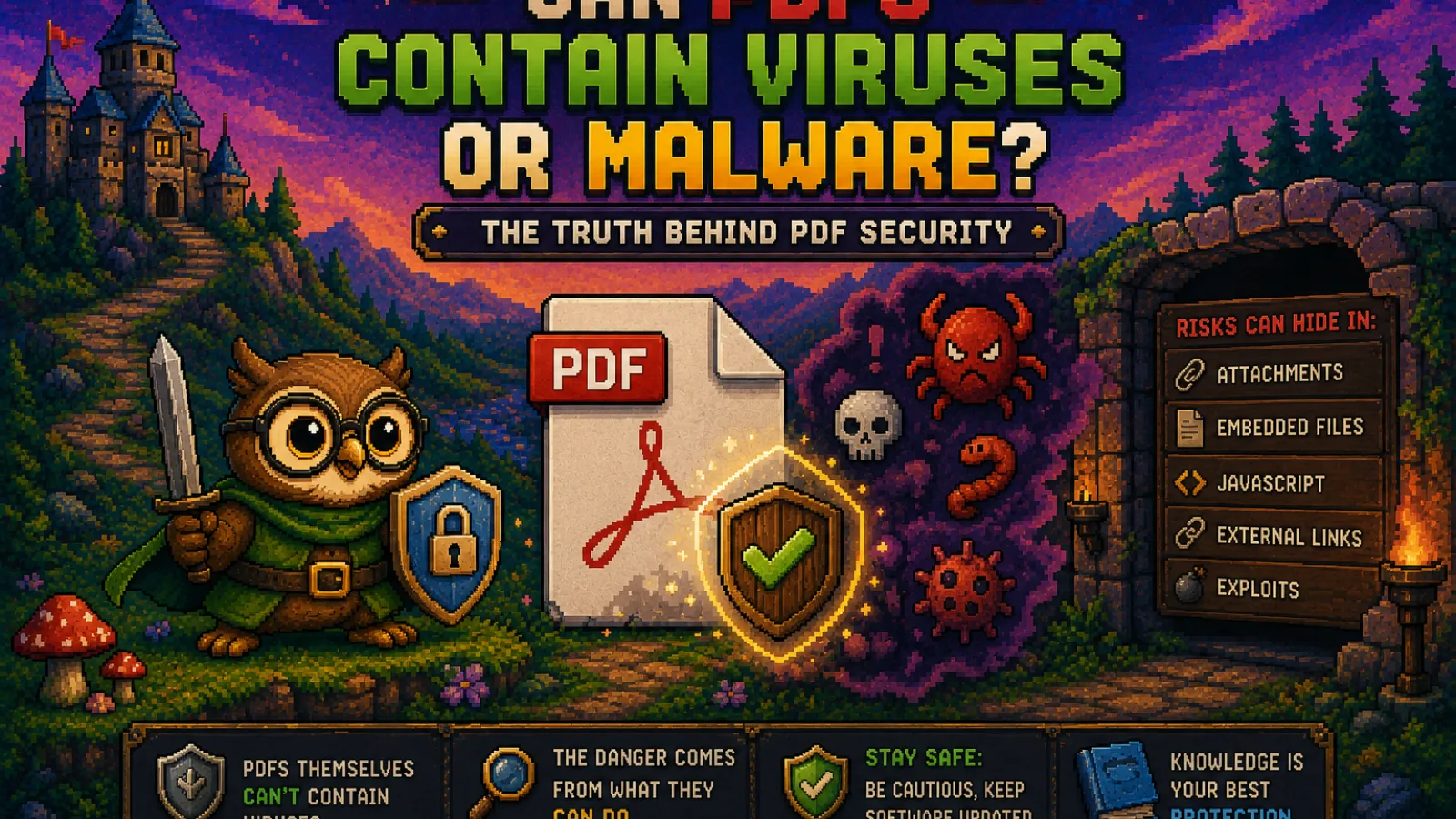
Yes, though a PDF is not executable code by itself: it's a document format, and viewing one doesn't run a program the way double-clicking an .exe does. The danger comes from three specific features PDF supports that go beyond plain text and images:
- Embedded JavaScript. The PDF spec allows scripts inside the document, originally meant for things like auto-calculating form fields. A malicious script can run the moment the file opens in a vulnerable reader.
- Embedded files and launch actions. A PDF can bundle another file inside it (a
.docx, a.zip, even an executable) and prompt the viewer to open it. The PDF itself is inert; the payload is whatever it convinces you to launch. - Exploits in the reader software. The bigger risk historically hasn't been the PDF format at all, it's bugs in the PDF reader parsing it. A malformed PDF can trigger a memory-corruption bug in an outdated version of Adobe Reader or similar software, letting attacker code run without any click beyond opening the file.
That third category is why PDF malware headlines usually name a specific, unpatched version of a reader rather than "PDF" as a format. The file is the delivery vehicle; the vulnerability is in the software that opens it.
Why PDFs get used for this at all#
Attackers like PDFs for the same reasons everyone else does: they open on any device without asking "do you trust this app," they look official, and most people have been trained to distrust .exe files but not documents. A PDF disguised as an invoice, a shipping notice, or a resume clears the mental filter that a .zip full of executables wouldn't.
How to tell if a PDF is actually risky#
A few signals matter more than the file extension:
- Where it came from. An unexpected PDF from an unknown sender, especially one urging you to "enable content" or click a link inside it, is the highest-risk pattern by far.
- Whether it asks you to do something. A PDF that just displays text and images can't do much on its own. One that prompts you to open an embedded attachment, click a link to "verify" something, or enable macros/JavaScript is asking you to hand it the trigger it needs.
- Your reader's patch level. Most PDF exploits target specific, already-patched vulnerabilities. Keeping your reader (Adobe Acrobat, Preview, your browser's built-in viewer) up to date closes the door on the majority of real-world attacks, since exploit kits mostly reuse known bugs rather than fresh ones.
The safest way to view an unfamiliar PDF#
Browser-based PDF viewers, including the one built into Chrome, Firefox, and Safari, are a meaningfully safer default than a dedicated desktop reader for a file you don't fully trust. Browser PDF renderers run in a sandbox with limited system access and, notably, most disable embedded JavaScript execution by default. If you need to actually work with the file rather than just glance at it (compress it, split it, extract images), running it through a browser-based tool that processes everything locally is safer still: with ConvertOwl's Compress PDF tool, the file never leaves your device or gets uploaded to a server, so even a file you're not fully sure about doesn't get handed to a third party in the process.
If a PDF is password-protected and you weren't expecting that, treat it as a stronger warning sign, not a security feature working in your favor. Legitimate password-protected PDFs (tax documents, HR forms) are common, but the protection itself does nothing to stop the file from carrying an embedded threat. Our guide to what PDF password protection actually secures covers where that protection helps and where it doesn't. If you've received a protected file from a legitimate source and just need to open it, Unlock PDF removes the password locally in your browser, without sending the document anywhere.
What actually reduces your risk#
- Keep your PDF reader updated. This closes the vulnerabilities that most real attacks depend on, since exploit kits overwhelmingly target known, patched bugs rather than zero-days.
- Don't enable JavaScript or macros in a PDF reader unless you specifically need to. Most everyday PDFs (invoices, forms, reports) never need scripting to display correctly.
- Be suspicious of any PDF asking you to click, enable, or open something else. A PDF that just shows content is doing its normal job; one that prompts further action is asking for the step it can't take on its own.
- Prefer viewing unfamiliar files in a browser tab over a dedicated desktop reader, and use browser-based tools when you need to actually process the file, since nothing leaves your machine.
FAQs#
Can a PDF file give you a virus just by opening it?#
In rare cases yes, if your PDF reader has an unpatched vulnerability that a malicious PDF is specifically crafted to exploit, though this requires an outdated reader and a targeted exploit rather than being a routine risk of opening any PDF.
Are PDFs safer than Word documents for avoiding malware?#
Neither format is inherently safer, since both support embedded scripts and both have had real-world exploits; Word's macro-based attacks are more common today because macros are easier to weaponize than PDF JavaScript, but the underlying risk pattern (an outdated reader plus a file asking you to enable something) is the same.
Does antivirus software catch malicious PDFs?#
Most antivirus software scans PDFs and catches known malware signatures and common exploit patterns, but it can miss a brand-new, unseen exploit, which is why keeping your reader updated matters as much as having antivirus installed.
Is it safe to open a PDF attachment from an unknown sender?#
It's lower-risk than running an executable file, but not risk-free, especially if the PDF prompts you to enable content, click an embedded link, or open a bundled attachment; viewing it in a browser tab rather than a desktop reader further reduces the risk.
Does compressing or converting a PDF remove malware from it?#
Not reliably, since re-encoding a PDF's images doesn't necessarily strip embedded JavaScript or bundled files, so a suspicious PDF should be scanned or avoided rather than "cleaned" by running it through a converter.
Why do password-protected PDFs still get flagged as risky?#
A password only restricts who can open the file; it does nothing to inspect or limit what the file itself can do once opened, so a protected PDF from an unexpected sender carries the same embedded-threat risk as an unprotected one.
The short version#
- PDFs can carry malware through embedded JavaScript, bundled files, or by exploiting bugs in outdated reader software, not by being inherently executable.
- The biggest single risk factor is an unpatched PDF reader; most real attacks target known, already-fixed vulnerabilities.
- An unexpected PDF that asks you to enable content, click a link, or open something bundled inside it is the clearest warning sign.
- Viewing unfamiliar PDFs in a browser tab, and processing them with local, browser-based tools like Compress PDF, Protect PDF, and Unlock PDF, keeps the file off a third-party server the entire time.
For more on how file formats actually work under the hood, browse the technology section of the blog.
Try the tools
Free, private, and instant. Everything runs in your browser.