Why Don't ZIP Files Compress Much?
Zipping a folder of photos or videos barely shrinks it. Here's why ZIP finds almost nothing left to squeeze from files that are already compressed.
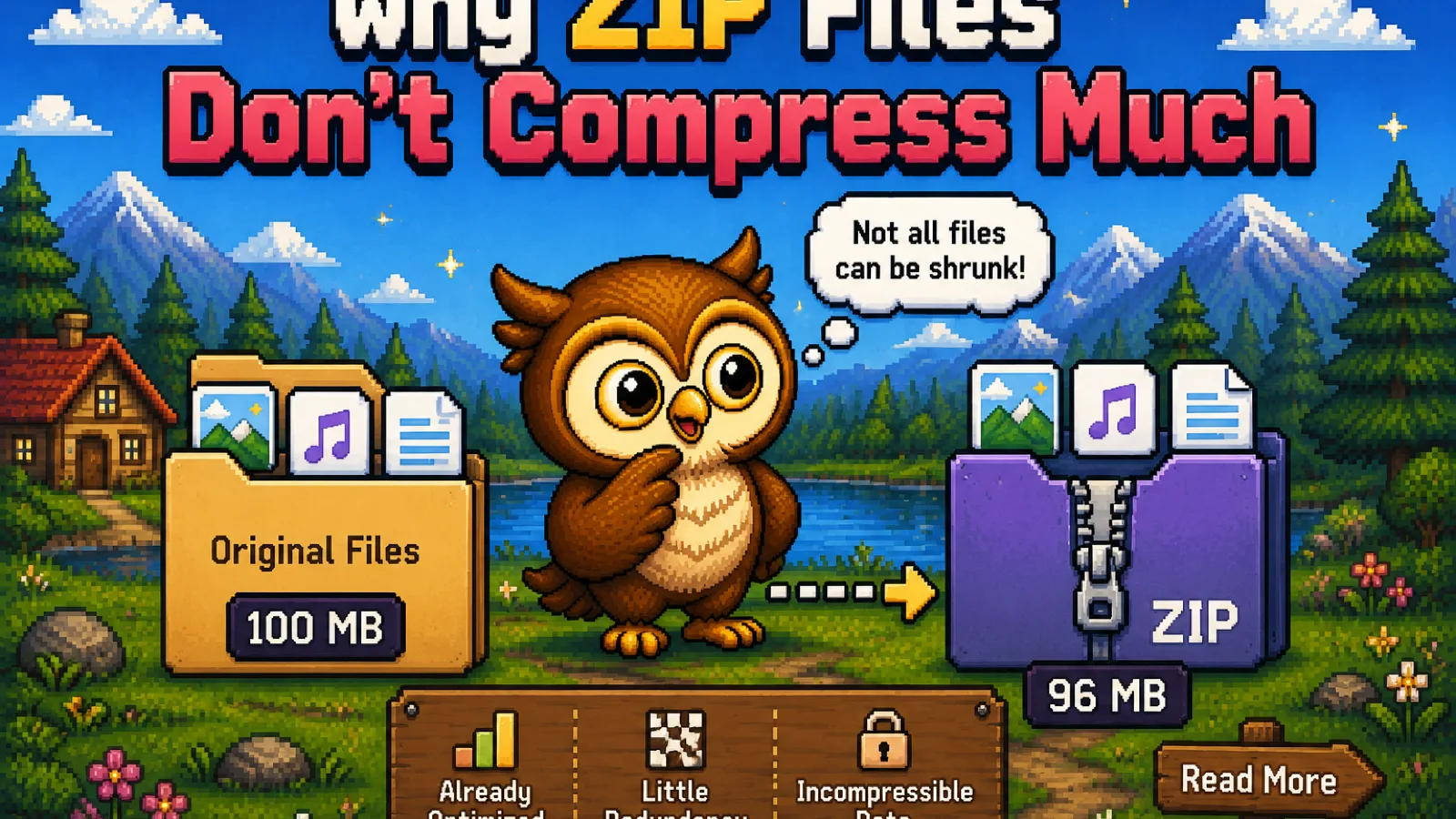
You zip a folder of vacation photos expecting a smaller file, and the ZIP comes back nearly the same size, sometimes even a megabyte or two bigger. That's not a broken tool. ZIP is doing exactly what it's designed to do; it just can't find much left to squeeze out of files that were already compressed before they ever reached the ZIP tool.
What ZIP actually looks for#
ZIP archives use an algorithm called DEFLATE, defined in RFC 1951. DEFLATE finds two kinds of savings: repeated sequences of bytes it can replace with a shorter reference, and byte values that show up more often than others, which it can encode in fewer bits. Both tricks depend on the same thing: redundancy, patterns and repetition sitting in the raw data.
A plain text file, a spreadsheet, a log file, or an uncompressed BMP image is full of that kind of redundancy: repeated words, repeated column values, long runs of the same pixel color. DEFLATE chews through that easily, which is why zipping a folder of .txt or .csv files can shrink it by 60–90%.
Why photos, videos, and PDFs barely move#
A JPG, an MP4, an MP3, and most PDFs have already had their redundancy removed before you ever touch the Create ZIP tool. JPEG's own encoder already applies entropy coding to squeeze the image down close to its practical limit; H.264 and H.265 do the equivalent for video; MP3 and AAC do it for audio. By the time DEFLATE gets a look at that data, the repeated patterns it depends on are mostly gone. It doesn't fail, it just has almost nothing to work with, so the ZIP comes out close to the original size, occasionally a little larger once you count the archive's own header and per-file overhead.
This is also why zipping a .docx, .xlsx, or .pptx file barely helps: those Office formats are already ZIP archives internally, holding pre-compressed XML. You're compressing a ZIP with a ZIP.
| File type | Typical ZIP savings |
|---|---|
| Plain text, CSV, log files | 60–90% |
| Uncompressed BMP or WAV | 50–80% |
| Word/Excel/PowerPoint (.docx, .xlsx, .pptx) | 0–5% (already ZIP internally) |
| JPG, PNG, MP4, MP3 | 0–3%, sometimes slightly larger |
So how do you actually shrink a photo or video?#
Not by zipping it again. The image or video codec is where the real compression decision gets made, so that's where you need to go back to make the file smaller. Run photos through the image compressor to re-encode them at a lower quality setting, which is a genuinely different operation from ZIP: it's allowed to lose a controlled amount of detail in exchange for size, where DEFLATE inside a ZIP is never allowed to lose anything. For the fuller picture on how to pick a quality level without visible loss, see how to compress images without losing quality.
When zipping still makes sense for already-compressed files#
Even when a ZIP doesn't shrink your photos or videos much, it's still useful for a different reason: bundling. If you need to send twelve files as one attachment, or keep a project's assets together as a single download, the Create ZIP tool does that in your browser with no upload, whatever the compression ratio turns out to be. On the other end, the Extract ZIP tool unpacks the archive back into its original files. For the walkthrough on building and naming an archive from scratch, see how to compress files into a ZIP folder, and the technology section of the blog has more on how compression formats work under the hood.
Frequently asked questions#
Why did my ZIP file end up bigger than the original files? A ZIP can end up slightly larger than the originals when the files inside are already compressed (like JPGs or MP4s), because DEFLATE can't find any redundancy to remove and the archive still adds a small amount of header and per-file overhead.
Does zipping a JPG or PNG lose any quality? No, ZIP is a lossless format, so every byte you put in comes back out exactly the same on extraction; it just usually can't make an already-compressed image file smaller.
Is there a way to compress photos and videos more than a ZIP does? Yes, re-encode them with a codec-aware tool like an image compressor, which can reduce quality in a controlled way to cut file size much further than ZIP ever can on that kind of data.
Why don't Word or Excel files shrink much when zipped?
Modern .docx, .xlsx, and .pptx files are themselves ZIP archives full of pre-compressed XML, so wrapping one in another ZIP has almost nothing left to compress.
Is it still worth zipping files that won't get smaller? Yes, if the goal is bundling rather than shrinking: a ZIP turns many files into one attachment or download, which is useful on its own even at a 0% compression ratio.
The short version#
- ZIP's DEFLATE algorithm only saves space where there's redundancy to remove; it can shrink plain text and uncompressed data a lot.
- Photos, video, audio, and PDFs are usually already compressed by their own format, so DEFLATE finds little left to squeeze, and the ZIP comes out close to the same size.
- Office documents (
.docx,.xlsx,.pptx) are internally ZIP archives already, which is why zipping one again barely helps. - To actually shrink a photo or video, use a codec-level tool like the image compressor, not another layer of ZIP.
- ZIP is still worth using on already-compressed files when the goal is bundling them into one attachment with the free Create ZIP tool, not shrinking them.
Try the tools
Free, private, and instant. Everything runs in your browser.